PBR + ACES for the Substance Suite v1.6
(Check PBR MetalFit for PBR + ACES 2.0).
www.artstation.com/artwork/D5x3ay
Two filters to treat color textures in physical terms. PBR_SmartFit will automatically bring the albedo map into PBR legal range retaining source colorimetry, details and perceptual mid-gray, it applies a curve to the out-of-PBR side (unlike range clamp with "PBR Albedo Safe Color"). The ACES_ACEScg filter will convert your color maps into the ACEScg color space, a space that closely matches and encompasses the Pointer's Gamut, a reference gamut for real surface colors.
Both can be used separately or in conjunction which is the preferred method for physically accurate rendering. By feeding ACEScg maps into the Substance rendering engine the output is in ACEScg color space so for that matter I made a new ACESFilm lut that converts from scene referred space to "Output - sRGB" display referred space. For all intents and purposes now we are rendering in ACES within Substance Painter.
* ACEScg based on code by Stephen Hill
Find them on my gumroad below:
https://gum.co/ZsGoG
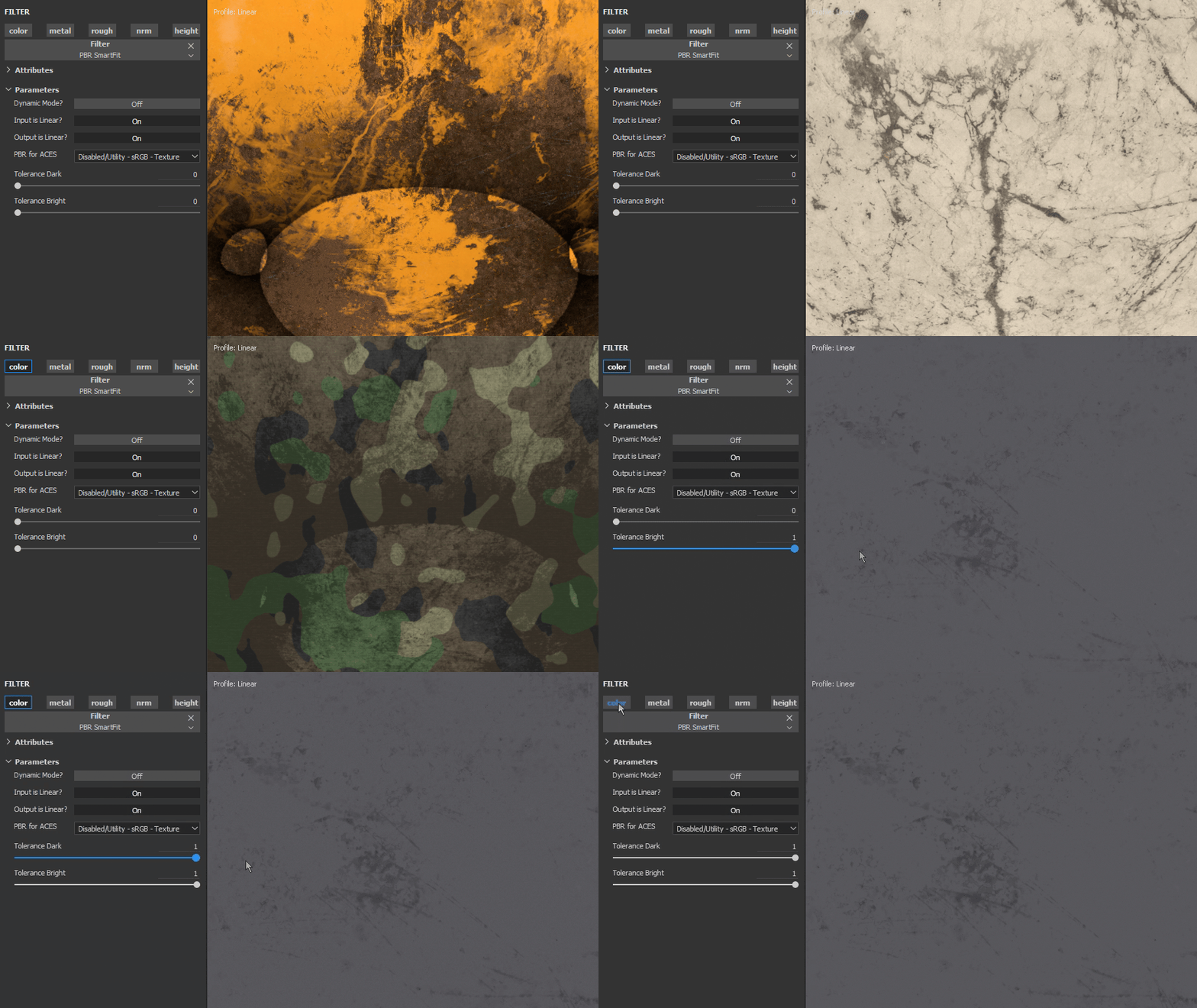
PBR_SmartFit: Automatic fit for Albedo maps. v1.1 includes option for strict limit PBR black -50-.

Comparison between Substance Designer "PBR AlbedoSafeColor" and "PBR SmartFit". Free Texture by Enrico Tammekand
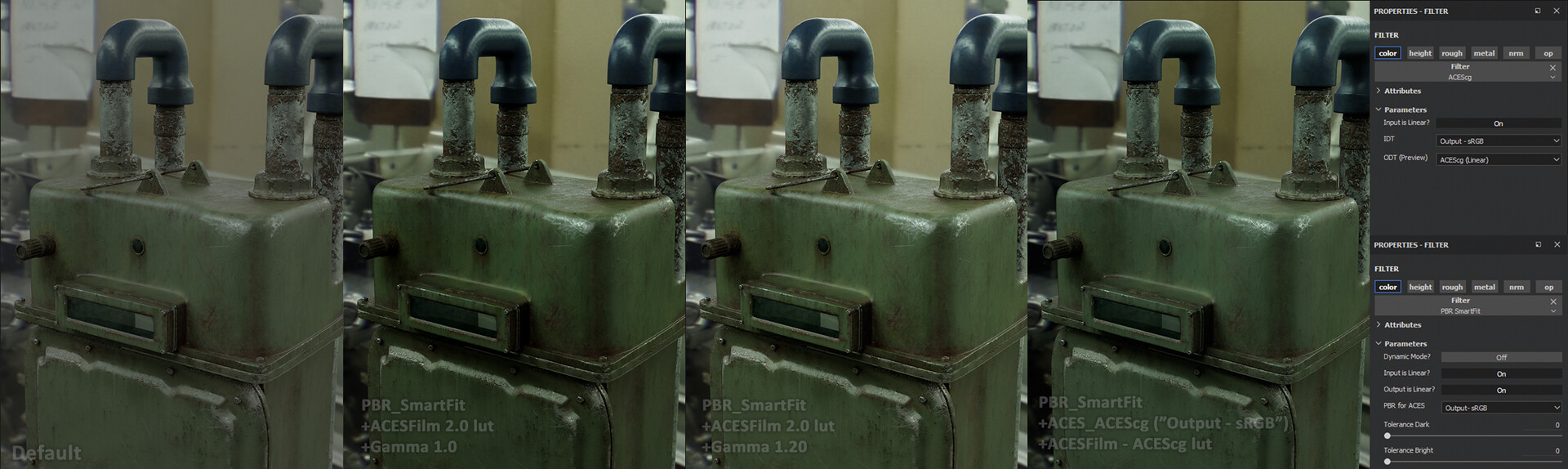
PBR+ACES showcase with own model; Default in SP, with ACESFilm lut (too dark), same but raising gamma (notice the gain in contrast for textures and washed out env), render with ACEScg filter (IDT) and ACEScg lut (ODT), correct exposure, texture n lighting

A practical match between Arnold and Substance Painter in an ACES pipeline.
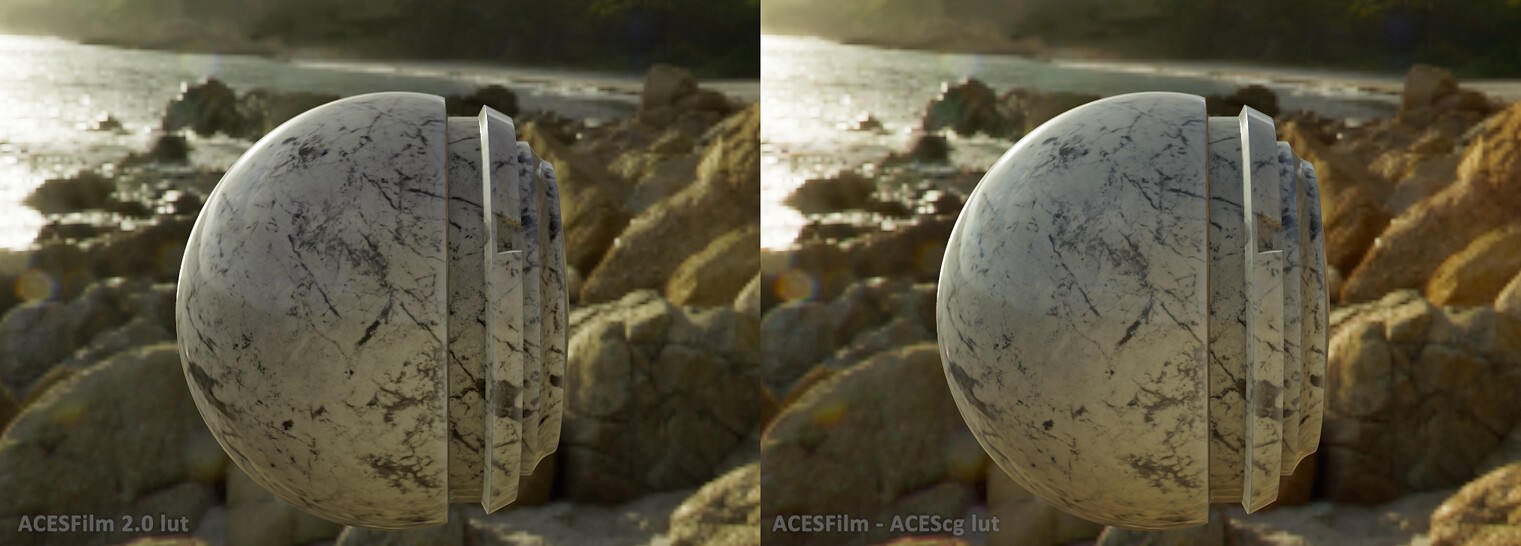
Other example of better light interaction using ACES
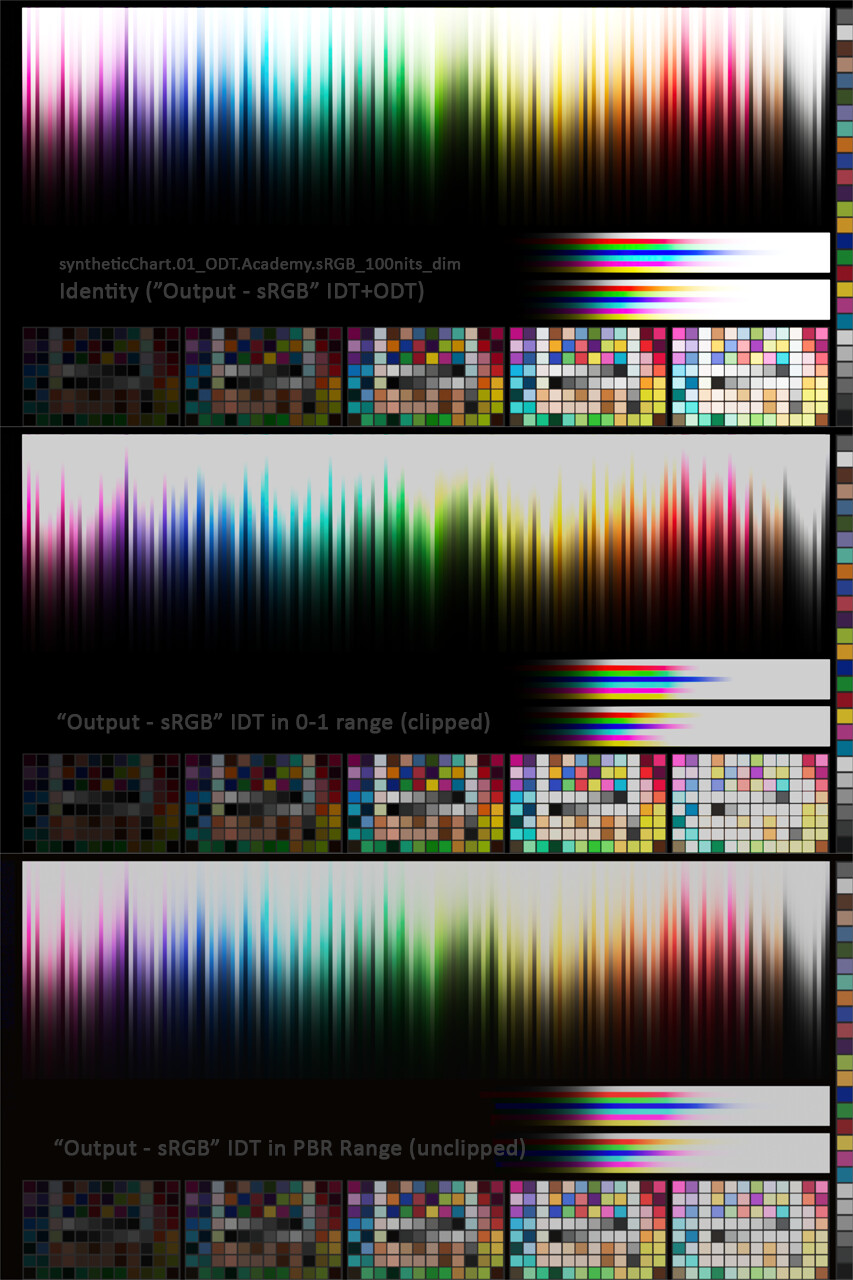
ACES test render comparison in Arnold (surface shader) between illegal texture range (HDR), illegal PBR range (0-1), and legal PBR range. IDT and ODT "Output - sRGB"
Quick video demonstration