PBR MetalFit for the Substance Suite
Gumroad: https://gumroad.com/l/PwxMO
AS Marketplace: https://www.artstation.com/a/2012004
PBR MetalFit is the evolution of PBR SmartFit.
After dealing with Dielectric materials and after some advice from Arkane Studios, it was time to do the same with Metallic.
Along the way many thing were polished even for Dielectric materials and the filter itself, hence the filter's name is PBR SmartFit 2.0, and PBR MetalFit is a sub-section of it.
You will notice that rather than BaseColor it's the Metalness map which is often wrong so a few tools are provided to adjust Metalness maps. Watch the video to learn how it works!

Includes PBR + ACES 1.6

Automatic PBR Fix for Metallic Materials
Learn the workflow differences between Automatic Fit and Automatic Fix

Filter Node Diagram

Includes PBR SmartFit from PBR + ACES project. Here automatic PBR fit for BaseColor in Dielectric materials .

Also includes "ACEScg" from PBR + ACES. Here showcasing "Output - sRGB" as IDT, a legit IDT for honoring look constancy. 1) Default in SP, 2) ACESFilm lut (too dark), 3) 2 + raising gamma (gain in contrast for textures and washed out env), 4) correct look
PBR+ACES & LUT - Quick Workflow Demo
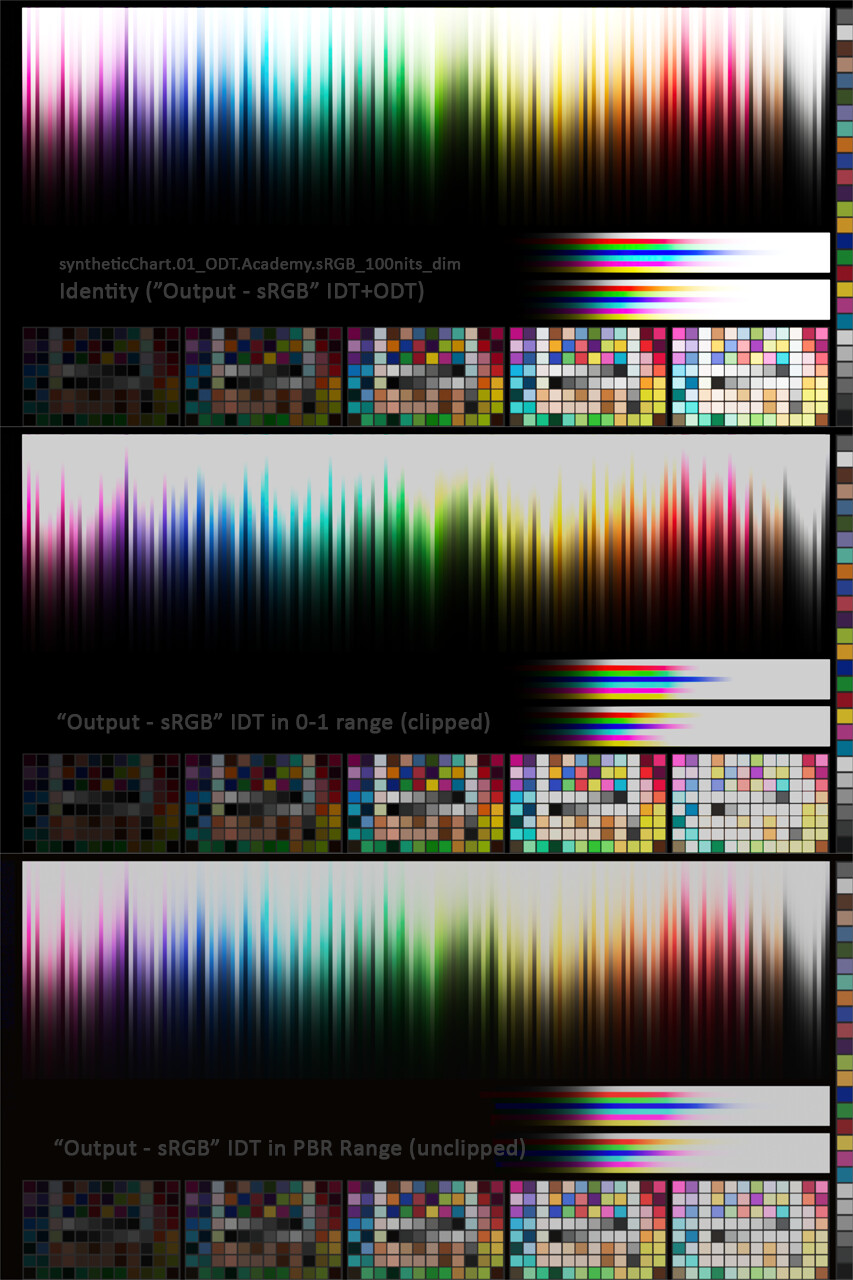
ACES test render comparison in Arnold (surface shader) between illegal texture range (HDR), illegal PBR range (0-1), and legal PBR range. IDT and ODT "Output - sRGB"